


Did you know that Copart and similar platforms list hundreds of thousands of vehicles at any given time? A significant portion of these sales now occur through mobile car auction bidding.
This guide will teach you how to bid on car auctions from your phone safely. It covers the essential steps and explains key terms from platforms like Copart, A Better Bid, and Automart.PH.
Definitions are crucial: Live bidding happens in real time during an auction. Pre-bidding, or preliminary bids, are placed before the auction starts and are shown during live bidding. Buy It Now allows for an instant purchase, removing the vehicle from the auction.
Most platforms require a user account, with Basic and paid tiers available. They list a variety of vehicles, from retail-ready to repairable. Listings include photos, title status, and inspection notes. Payment deadlines and “as-is, where-is” sale conditions apply, as per Automart.PH and Copart policies.
Mobile bidding can win vehicles remotely through live bids, pre-bids, or Buy It Now. Yet, risks include missed bids due to poor connectivity, notification failures, and auction terms that shift liability to the buyer. The following sections provide actionable tips for phone auction safety and reliable execution.
Key Takeaways
- Register on the platform and verify your account before bidding.
- Use live bidding, pre-bids, or Buy It Now based on timing and risk tolerance.
- Confirm listing details and “as-is” conditions before placing money-backed bids.
- Prepare for connectivity and notification failures to improve phone auction safety.
- Set clear max bid limits to avoid emotional overbidding during fast-paced mobile bidding.
Why Mobile Bidding Is Risky (But Can Be Done Right)
Mobile bidding carries risks due to latency, delayed notifications, and quick changes in sale terms. To mitigate these risks, it’s crucial to prepare thoroughly before the auction. This includes setting pre-bids, establishing firm limits, and confirming inspection options.
Network latency and packet loss can cause bid commands to arrive late or not at all. Platforms may display an outdated high-bid if there’s a lag in app-server syncing. This delay can turn a confident bid into a missed opportunity.
What Happens When App Bids Don’t Register in Real Time
When app bids don’t update in real time, the server timestamp determines legitimacy. Device time holds no legal weight. You might see your bid locally while the server has accepted a later bid.
Pre-bids can remain active during live events but can be outcompeted by faster live bidders. Manual live bids sent from the phone risk arriving after the platform cutoff and missing the accepted threshold.
Platforms often keep audit logs and bid histories with server timestamps. Review those records when disputes arise. Knowing that the recorded server time, not the device time, decides validity helps you interpret outcomes.
Platform Behaviors and Practical Remedies
Use pre-bidding to secure an incremental position when live participation is uncertain. Select Buy It Now when available to avoid live competition. Arrange or buy inspections before the sale when the vehicle condition matters.
- Enable high-priority notifications in the app and in iOS or Android settings.
- Test the app under load before major auctions to spot auction app bid delay symptoms.
- Set a conservative max bid so rapid outbids do not force emotional overbidding.
Missed or late bids usually mean losing the high-bid spot or being outbid within seconds. If a winner fails to pay, platforms commonly contact the next-highest bidder within defined timelines. This can return the lot to active bidding.
Understanding these mechanics is key to bidding safely on car auctions from your phone. It’s about managing risks, setting clear limits, and being prepared for any scenario.
Pre-Auction Prep: Car Auction App Bidding Checklist
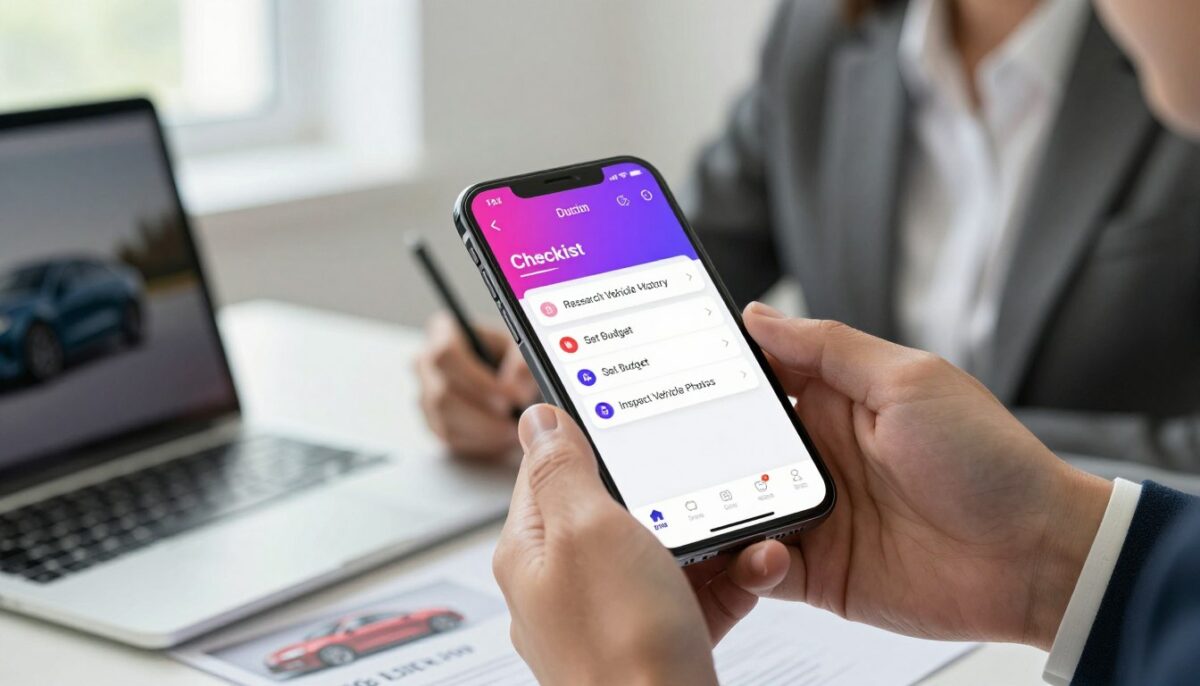
Before the auction, prepare your accounts, funding, vehicle data, and app settings. This preparation reduces risks, controls emotional bidding, and quickens your response during live events.
Ensure your account is registered and verified at least 48 hours prior to the auction. Confirm your membership level and any registration holds. Also, link your payment methods or deposit funds to avoid last-minute issues.
Download or save inventory lists for offline review. Review vehicle details: brand, year, model, fuel, mileage, plate number, warehouse location, color, and starting price. Plan for inspections or hire a mechanic post-win, as most auctions are sold as-is.
Best Way to Set Max Bid Limits in a Car Auction App
Determine a strict maximum based on what you can afford and market values. Calculate the total cost: final bid, buyer fees, transport, and repairs. This total is your limit.
Utilize pre-bid or proxy-bid features to set your limit and let the app bid incrementally for you. Use round numbers to prevent accidental cents-based increments. Test the proxy-bid flow in the app before auction day.
Steer clear of manual bid increases from your mobile unless you have excellent signal quality. The best strategy is to set a firm ceiling, automate bidding, and account for all additional costs.
How to Use Watchlist Alerts to Win an Online Car Auction
Add your target vehicles to a watchlist and enable push, email, and in-app alerts. Test alert delivery by creating a notification well before the auction.
Set up alerts for status changes, bidding activity, and outbid notices. Use these notifications to prompt manual action or to confirm a pre-bid’s activation. Keep the app open for critical lots.
Follow this car auction app bidding checklist before the auction: register, verify ID, fund your account, download inventory, set max bid, enable notifications, schedule inspections, and confirm your payment method. This routine minimizes surprises and maintains your buying power.
Connection Issues: How to Handle Weak Signal During Live Bidding

To manage weak signals, reduce reliance on manual bids during live auctions. Set pre-bids, enable proxy bids, and have backup connections ready before the auction begins. If app updates are slow, check the authoritative bid history and switch to backup plans immediately.
Pre-bid and Buy It Now options eliminate uncertainty. Set your maximum bid before the auction starts. Use Buy It Now to secure items without the need for live bidding. A Better Bid entry shows your interest if you can’t attend the live stream.
What to Do If App Bids Don’t Update in Real Time
First, check if the app is working. Refresh the inventory list and the lot page. Look to see if your bid is in the app bid history or server logs. Platforms like Copart and IAA list server-side bids, which override app states.
Don’t send duplicate bids until you’re sure they’ve been accepted. Duplicate bids can cause unwanted increments or conflicts. If your bid isn’t in server logs, contact support with timestamped screenshots.
Backup Plans When Your Connection Drops
Switch networks quickly. Move from Wi-Fi to a carrier hotspot or a secondary Wi-Fi source. Make sure the new connection can reach the auction server.
- Use another device logged into the same account when possible.
- Enable platform proxy or auto-bid features and confirm funding limits.
- Authorize a trusted proxy bidder to act on your behalf.
Reserve phone call support as a last resort. Many auction houses do not accept phone bids during live online lots. Confirm phone procedures in advance.
Implement measurable checks. Test connections 10–30 minutes before the start. Keep an alternate phone or a tethered laptop ready. Verify proxy bidding is active and funded. These steps enhance mobile auction connectivity and provide clear backup plans when your connection drops.
Bidding Strategies for Mobile Users
Proxy bidding minimizes the risk of last-minute overbids, which can be emotionally driven. On the other hand, manual bidding allows for precise timing but increases the risk of missing bids due to latency or impulsive decisions. A balanced approach, combining both methods, is ideal for adapting to varying connection speeds and auction paces.
Decide based on your situation. Opt for proxy bidding if your signal is weak or you can’t keep up with the auction. Choose manual bidding if your connection is strong and you aim to make a strategic last-minute bid.
Is Proxy Bidding Safer Than Manual Bidding in an App Auction
Proxy bidding is safer for ensuring your bid is executed reliably, but it offers less control over your bidding strategy. It allows for automatic bidding up to a set maximum, eliminating the risk of missed keystrokes due to network delays.
Platforms like Copart and major dealer auctions provide automated bidding tools or membership features that operate on their servers. Use proxy bidding when remote participation is essential or when signal quality is uncertain.
Manual bidding, while giving you control over timing, comes with the risk of delayed notifications and missed bids during intense bidding periods. It’s best used when you can monitor the auction closely and latency is not a concern.
How to Avoid Overbidding When Using Live Auctions on Mobile
Set a firm maximum that includes all costs such as buyer fees, taxes, and transport. Determine this maximum based on comparable sales, repair estimates, and resale time. Stick to this cap and refuse to go over it.
- Calculate a purchase ceiling from comparable sales, repair costs, and resale time.
- Include buyer fees and transport when you set the maximum bid.
- Use proxy bidding to enforce the cap and stop emotional escalation.
- If manual bidding, place only measured increments and pause after any win notification to confirm total cost.
- Accept loss when outbid rather than exceed the preplanned ceiling.
Implement a hybrid strategy: use proxy bidding as a baseline and switch to manual increments when connection quality and auction timing are favorable. This approach helps avoid overbidding and keeps your decision-making process clear.
Monitor your results and refine your mobile bidding strategies over multiple auctions. Track execution slips, missed bids, and final costs to improve your maximum bids and reduce risks.
Notification Problems and How to Fix Them
Notification failures often arise from app permissions, battery settings, or alert preferences. Ensure app permissions are correct and test alerts before the auction. If push notifications fail, rely on email and manual refresh as backups.
Common issues have simple solutions. By checking these items, you can resolve notification problems auction apps frequently encounter.
Confirm device notification permissions
On iOS or Android, navigate to Settings > Notifications and enable the auction app. Allow badges and sounds. Also, turn on lock-screen previews if available. This step often answers why am I not getting outbid notifications in an auction app.
Disable battery restrictions
Battery optimization can block background delivery. On Android, add the app to Battery > App optimization whitelist. On iPhone, disable Low Power Mode during bidding. This helps avoid missed mobile auction alerts during live lots.
Check in-app alert preferences
Open the app’s notification settings. Enable outbid alerts, lot status updates, and watchlist notices. Save changes and log out then back in to force sync. Many users miss alerts because watchlist notifications remain off.
Address email delivery issues
If the platform sends secondary notices by email, whitelist the auction domain in your email client. Regularly check spam and filters. Ensure the registered email address matches your account to prevent lost notices.
Run a quick test
- Add an item to your watchlist.
- Trigger a test alert or sample notification if the platform offers one.
- Manually refresh the lot page while observing push and email.
A successful test shows push delivery within a few seconds on a strong connection. This confirms the fix auction notifications steps were effective.
Fallback tactics if pushes still fail
Use email alerts and manual refresh during the final minutes. Keep a secondary device logged in to the same account. These actions help minimize losses when notification problems auction apps cannot resolve immediately.
Tie Bids and Last-Second Bidding
The platform’s server-time ordering decides winners when two bids hit at the same instant. Platform rules and server timestamps are authoritative. Read the terms to confirm how each auction implements an auction tie-breaker.
Immediate answer: server timestamp wins
The server records incoming bids in processing order. The bid with the earliest server timestamp becomes the winning entry. This applies to most major auction platforms, including Copart and Manheim online lanes.
How platforms apply increments and proxy rules
Platforms apply bid increments and proxy logic before declaring a winner. If a proxy bid pushes the effective amount above a simultaneous manual offer, the proxy holds the lot. That behavior acts as an implicit auction tie-breaker.
Last-second bidding risks
Sniping raises latency risk and increases chances of losing despite matching a bid. Mobile users see this more often because network delay varies by carrier and location.
Practical steps to reduce tie risk
- Review the auction’s terms to confirm the tie-resolution method.
- Set a proxy or max bid to avoid last-second races from mobile.
- Use the watchlist and pre-bid features to remove reliance on sniping.
Audit trails and dispute resolution
Expect the platform to provide bid history with server timestamps. That trail shows which bid the system recorded first and supports disputes with customer support.
| Issue | How the Platform Handles It | Recommended Action |
|---|---|---|
| Two bids submit at same moment | Server timestamp orders bids; earliest recorded wins | Check bid history and terms; avoid last-second bidding |
| Proxy vs manual tie | Proxy increments create highest effective bid; proxy prevails if above opponent | Use proxy bidding or set a competitive max bid ahead of close |
| Network latency on mobile | Delayed packets can shift server order, causing loss | Pre-bid from stable connection; avoid sniping on cellular in poor signal |
| Dispute over winner | Audit trail shows server timestamps and order | Contact support with timestamp evidence; reference auction tie-breaker rule |
Mobile Bidding Mistakes That Cost You the Car (Or Cost You Too Much)
Common errors include skipping inspections, ignoring fees, missing payment windows, and letting emotion drive bidding. These mistakes increase the risk of financial loss or losing the vehicle after a post-sale check.
- Skipping inspections and assuming the vehicle’s condition is fine is a common mistake. Many auction houses sell vehicles “as-is, where-is.” Automart.PH notes that post-award inspection does not reverse the sale. This often leads to surprise repair bills and declined registrations.
- Not factoring fees and logistics into the cap is another costly error. Platform buyer fees, transport, taxes, and repairs must be included when setting a maximum. Failing to include these items is one of the most costly common auction app errors.
- Missing payment deadlines or misreading terms is another mistake. Some platforms require full cash or cleared funds within two banking days. Missing deadlines triggers penalties, forfeits, or relisted vehicles. Confirm bank timelines and accepted payment methods before bidding.
- Rellying solely on live manual bids over unreliable networks is risky. Unstable connections can cause bidding errors phone cases where bids do not register or arrive late. Use proxy bids or pre-bids when your signal is weak to avoid paying more or losing the car.
- Ignoring notification settings is another mistake. Outbid alerts provide immediate correction opportunities. Turning off notifications or not testing alerts increases the chance you won’t react to new bids in time.
Maintain clear records of confirmations and messages. Save bid receipts, platform messages, and payment confirmations. These records reduce disputes and show compliance with platform rules.
Preventive actions to reduce risk:
- Arrange pre-sale inspection or allocate a repair reserve.
- Include buyer fees, haulage, taxes, and expected repairs in your max bid.
- Confirm payment windows and prepare funds in advance.
- Use proxy bidding or submit a firm pre-bid when connection quality is low.
- Enable and test outbid notifications on the auction app.
- Archive bid confirmations and platform correspondence.
Following these steps improves outcomes. The measures cut the risk of default, unexpected costs, and losing the vehicle after inspection. They answer how to avoid overbidding when using live auctions on mobile by removing uncertainty and limiting emotional bidding.
Track results by measuring defaults avoided, funds saved versus estimated costs, and successful title transfers. Stated metrics show how addressing common auction app errors and bidding errors phone incidents reduces loss and improves win rates.
Security Best Practices for Mobile Auction Payments
Protect your payment credentials by using only approved payment channels. Always verify the recipient’s details before transferring funds. Enhance account security with strong authentication to minimize fraud and payment disputes.
- Employ strong, unique passwords and activate two-factor authentication (2FA) on your auction accounts and email. Ensure your account recovery options are up-to-date. For device security, install the latest operating system and app updates. Use a passcode or biometric unlock and avoid public Wi-Fi when bidding.
- If a secure network is not available, use a verified VPN for payments. Follow the platform’s payment guidance and only use recommended methods. Never send funds to unverified third-party accounts. Confirm wiring or ACH instructions twice via the auction platform’s official contact information.
- Fraudsters often spoof emails, so always cross-check phone numbers or in-app messages. Keep receipts and transaction IDs for any potential disputes. Understanding each platform’s refund and chargeback rules is crucial. Note the reservation fee, documentation, and financing steps to avoid forfeiture.
- Enable 2FA, confirm payment windows and instructions, use secure networks, and retain transaction records. These measures enhance security best practices for mobile auction payments. They also demonstrate how to bid on a car auction from your phone safely with secure auction payments and payment safety auction apps.